Will Canvas Icons Fade Over Time? A Complete Guide

Table of Contents
- Will Canvas Icons Fade Over Time? The Direct Answer
- Do Canvas Prints Fade Over Time? Understanding Ink and UV Exposure
- How to Protect Canvas Prints From Fading
- How Long Do Canvas Prints Last? A Realistic Timeline
- Canvas vs Wood Icon Durability: Which Holds Up Better?
- Troubleshooting a Canvas Icon That Won't Stop Fading
- 1. Refresh the page or pull to refresh
- 2. Navigate away and back
- 3. Check the assignment or item status directly
- 4. Confirm your notification and visibility settings
- 5. Rule out theme, contrast, and browser extensions
- 6. Compare browser vs. mobile app
- 7. Clear browser cache and cookies for the Canvas domain
- 8. Check for a known issue or recent release
- 9. Contact your instructor or support
- Quick reference: what each behavior usually means
- Conclusion: Caring for Your Canvas Icons for Generations
- Frequently Asked Questions
Last Updated: October 16, 2026
Will Canvas Icons Fade Over Time? The Direct Answer
The question of whether canvas icons fade points to at least three different things, and the honest answer depends on which one you mean:
- Canvas LMS indicators (the colored dots, badges, and checkmarks next to assignments, modules, and grades) do not fade on their own. They are rendered fresh by the browser or app on every page load, so their color and opacity stay constant until the underlying status changes or the interface is updated.
- HTML
<canvas>graphics (icons drawn programmatically with JavaScript) only fade if the code tells them to. A canvas element holds a bitmap; nothing in the browser dims it over time. Any fade you see is either an animation the developer wrote or a CSSopacityvalue applied to the element. - Physical canvas prints and painted icons (artwork on fabric or panel) can fade, but that is a materials-and-light question, not a software one, and it is covered further down.
If you arrived here because a grade indicator, module badge, or assignment icon in Canvas LMS looks lighter, dimmer, or grayed out than it used to, the cause is almost never "fading" in the physical sense. It is one of these:
- A status change. A green checkmark can become a gray circle when an assignment is reopened or a submission is reset. The icon did not fade, it was replaced.
- A read/unread state. Unread discussion or announcement indicators often render at full color, then switch to a muted or hollow style once you open the item.
- A theme or contrast setting. Canvas supports high-contrast and dark modes, and some institutions apply custom themes. The same icon can look washed out in one theme and vivid in another.
- A browser rendering quirk. Zoom levels, forced dark mode extensions, and OS-level color filters can all change how an indicator looks without changing its meaning.
So the direct answer is: Canvas LMS icons do not fade over time. They change state, they change with themes and settings, and they can look different across the browser and the mobile app, but they do not lose color the way ink on paper does. If an icon looks faded, treat it as a signal to check the assignment status, your notification settings, or your display preferences, not as a sign that something is wearing out.
How to tell which meaning applies to you
- If you are a student or instructor looking at a gradebook, dashboard, or module list, you mean Canvas LMS indicators. Skip to the troubleshooting section below.
- If you are a developer styling a
<canvas>element, you mean HTML canvas graphics. The fade behavior is entirely under your control viaglobalAlpha,opacity, or an animation loop. - If you are asking about a printed or painted icon on fabric or wood, you mean physical artwork. The ink, coating, and light-exposure sections below apply.
Do Canvas Prints Fade Over Time? Understanding Ink and UV Exposure
Yes, canvas prints can fade, but the ink type decides how fast. Dye-based inks fade quickly under UV light.
Library of Congress guidance on light exposure for prints and photographs notes that light damage is permanent and irreversible, which is why display location matters more than any cleaning routine.
The coating on top of the print is the second line of defense.
How to Protect Canvas Prints From Fading
Protection starts before the icon ever hangs on a wall. Choose archival ink and a sealed surface, then control where the piece lives.
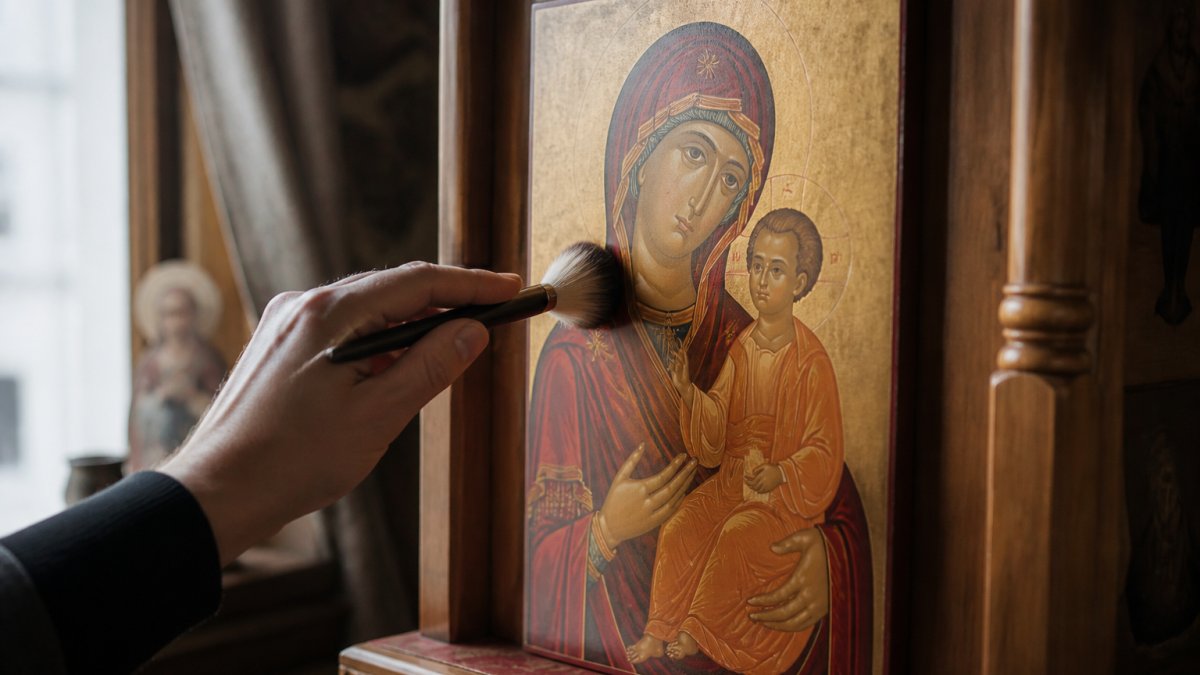
Here is the routine we recommend:
- Hang the icon away from direct sunlight and south-facing windows
- Keep it off exterior walls that swing in temperature
- Avoid spots above radiators, fireplaces, or air vents
- Dust with a dry, soft cloth only, never a wet rag
UV-Protective Coatings and Display Placement
A UV protectant clear coat is the most effective single safeguard you can buy. It sits over the printed surface and absorbs ultraviolet energy before it reaches the pigment.
Placement does the rest. A hallway with indirect light is ideal. A sunroom is not. If you must hang an icon in a bright room, rotate pieces periodically so no single one takes all the exposure.
How Long Do Canvas Prints Last? A Realistic Timeline
A sealed archival canvas print can last well over a century when kept out of direct light. Uncoated prints in sunny rooms may show visible fading in a decade or less.
The table below shows what to expect based on how the piece is made and where it hangs.
| Print Type | Display Location | Expected Color Life |
|---|---|---|
| Archival ink, UV coat | Indirect light | 100+ years |
| Archival ink, UV coat | Direct sun | 20-40 years |
| Dye ink, no coat | Indirect light | 10-20 years |
| Dye ink, no coat | Direct sun | 2-5 years |
The pattern is clear. Coating and placement together decide the outcome. Neither one alone is enough.
Canvas vs Wood Icon Durability: Which Holds Up Better?
Painted wood and canvas on panel each have real strengths, and the "better" choice depends on how you use the icon. Wood takes paint and gold leaf directly and can be repaired by a skilled hand. Canvas on a maple panel keeps photographic detail sharp and resists cracking when humidity shifts.
Here is how they compare:
| Factor | Painted Wood | Canvas on Maple Panel |
|---|---|---|
| Detail | Hand-painted | High-resolution print |
| Fading risk | Low with varnish | Low with UV coat |
| Cracking | Possible in dry air | Resists warping |
| Repair | Restorable by artist | Surface cannot be repainted |
| Weight | Heavier | Lighter |
Troubleshooting a Canvas Icon That Won't Stop Fading
If an icon in Canvas LMS looks faded, stuck, or will not clear, work through these checks in order. Most issues resolve in the first two steps.
1. Refresh the page or pull to refresh
Canvas renders indicators on page load. A stale tab can show an old state, an unread badge that should be gone, or a checkmark that should have updated after a regrade. A hard refresh (Ctrl+Shift+R on Windows, Cmd+Shift+R on Mac) forces a clean render. In the mobile app, pull down on the dashboard or course list.
2. Navigate away and back
Some indicators, especially unread counts on discussions and announcements, only update when you leave the page and return. Open a different course, then come back. If the badge clears, it was a state refresh, not a bug.
3. Check the assignment or item status directly
Open the assignment, quiz, or discussion the icon is attached to. Canvas shows the authoritative status on the detail page, submitted, graded, missing, late, excused, or unread. If the detail page disagrees with the list view, the list view is stale. Refresh again.
4. Confirm your notification and visibility settings
Some indicators reflect your own notification preferences, not the instructor's actions. If you turned off a notification type, the related badge may behave differently than you expect. Check Account → Notifications and confirm the relevant category is set to the frequency you want.
5. Rule out theme, contrast, and browser extensions
Dark mode extensions, forced high-contrast modes, and OS-level color filters can make a full-color icon look washed out. Test in a private/incognito window with extensions disabled. If the icon looks normal there, the issue is your extension or theme, not Canvas.
6. Compare browser vs. mobile app
Icon behavior is not always identical across platforms. If an indicator clears in the browser but persists in the mobile app (or vice versa), the app is likely showing a cached state. Log out and back in, or clear the app cache, to force a fresh sync.
7. Clear browser cache and cookies for the Canvas domain
A corrupted cached asset can make an icon render incorrectly, wrong color, wrong shape, or a faded appearance. Clear cache and cookies for your institution's Canvas domain only, then sign in again. Do not clear everything if you can target the domain.
8. Check for a known issue or recent release
Canvas ships updates on a regular release cycle, and interface changes occasionally alter how indicators look or behave. Check your institution's status page or the Canvas release notes for the current cycle. If the change is intentional, the "faded" look may be the new design.
9. Contact your instructor or support
If the icon still will not clear after all of the above, the cause may be on the instructor's side, an assignment that was reopened, a grade that was reset, or a section-level setting. Ask your instructor to confirm the item's status. If they confirm it is correct and the icon persists, contact your institution's Canvas support or the Canvas help menu inside the app.
Quick reference: what each behavior usually means
| What you see | Most likely cause | First fix |
|---|---|---|
| Gray or hollow icon where a colored one used to be | Status change (read, reopened, reset) | Open the item detail page |
| Icon looks dim but status is correct | Theme, contrast, or extension | Test in incognito window |
| Badge will not clear after reading | Stale render or cache | Hard refresh, then clear domain cache |
| Different icon in browser vs. app | App cache or sync lag | Log out and back in |
| Icon changed after a Canvas update | Intentional interface change | Check release notes |
If you were looking for help with a physical canvas print that is losing color, the checks are different: inspect the UV coating for dullness or clouding, confirm the piece is not in direct sun or near a heat source, and stop using wet cloths or ammonia-based cleaners. Once pigment has broken down, no coating restores it, replacement with a sealed, archival piece is the only path.
Conclusion: Caring for Your Canvas Icons for Generations
Fading is not a mystery, and it is not unavoidable. It comes down to ink, coating, and where the icon hangs. Get those three right and a canvas icon will outlast most of the furniture in the room.
At Theophany Works, we build every icon to last: archival ink printed on premium fine art canvas, mounted onto smooth maple panels, and sealed with a UV protectant clear coat.
Frequently Asked Questions
Will a printed canvas icon fade over time?
Yes, any printed canvas can fade, but the rate depends on ink quality, UV exposure, and protective coatings. Archival pigment inks combined with a UV-protectant clear coat can resist noticeable fading for decades under normal indoor conditions. Direct sunlight accelerates fading significantly, so placement matters as much as materials.
How long do canvas prints last before fading?
With archival inks and a UV-protective topcoat, canvas prints can last 50 to 100 years when displayed away from direct sunlight. Without those protections, fading may become visible in as little as 5 to 10 years. Humidity and heat also shorten lifespan, so stable indoor conditions help preserve color and detail.
Does sunlight make canvas icons fade faster?
Sunlight speeds up fading because ultraviolet radiation breaks down ink pigments. Even indirect sunlight through a window can cause gradual color loss over years. Hanging canvas icons on interior walls away from windows and using UV-filtering glass or a clear UV coat will slow the process considerably.
How should I clean and care for a canvas icon?
Dust gently with a soft, dry microfiber cloth. Avoid water, solvents, or abrasive cleaners, which can damage the canvas and coating. If the icon is mounted on a panel, wipe the panel edges with a barely damp cloth. Keep the icon out of direct sun and away from heating vents to maintain its appearance.
Will your icons still look vibrant when your grandchildren inherit them? That depends on what you buy and where you hang it. Theophany Works handcrafts each piece in our Lancaster studio with archival materials and a UV protectant finish, so the color life matches the devotion behind it. Subscribe to our newsletter for care tips and new releases from the studio.
Explore Popular Articles
Agiografia Icons vs Christianity Art: What's the Difference?
Last Updated: November 26, 2026 Quick Summary Agiografia icons are liturgical objects made to be ve...
How to Choose Icon Size for Screens and Sacred Art
Last Updated: November 24, 2026 Quick Summary To choose icon size, first decide whether you mean a...
7 Handcrafted Maple Panel Religious Art Pieces Worth Considering
Last Updated: November 22, 2026 Quick Summary Handcrafted maple panel religious art pairs a sacred...
How to Choose Between Modern and Traditional Icon Printing
Last Updated: November 17, 2026 Quick Summary Choose modern icon printing when you need faithful, d...